ARS Petal
Bright, bold and built around the player.
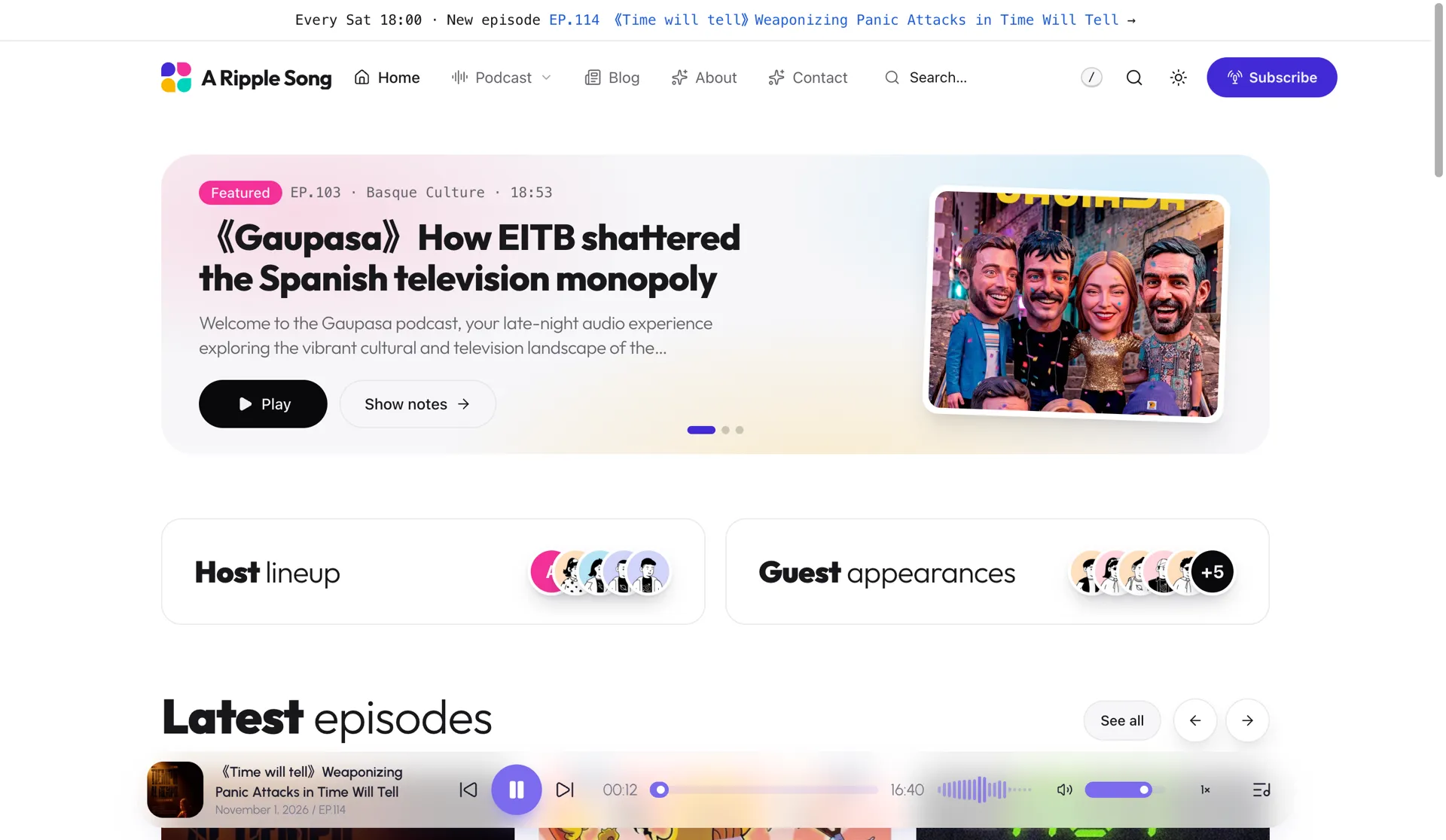
A bright, component-library style podcast theme: white space, bold / light mixed headlines, indigo, magenta, teal and yellow color blocks, soft glows, and a blue-gray night mode. Paired with A Ripple Song it becomes a full podcast site; without the plugin it works as a clean blog theme.
- Version
- 0.5.1
- Requires
- WordPress 6.6+ · PHP 8.2+
- Player style
- Petal
- License
- GPL-3.0
What’s inside
A podcast home page
A Landing page template with widgets for a featured / latest episode carousel, host and guest line-ups, an episode rail and an episode list.
Episode archive
A topic sidebar, tags, newest / oldest sorting, and a list view grouped by month or a grid view.
Rich episode pages
Cover, meta, play / share / like / download actions, hosts and guests, and Summary / Chapters / Transcript tabs.
Playback that never stops
Smooth page transitions with Swup keep the site-wide player running while visitors browse.
Light, dark, or system
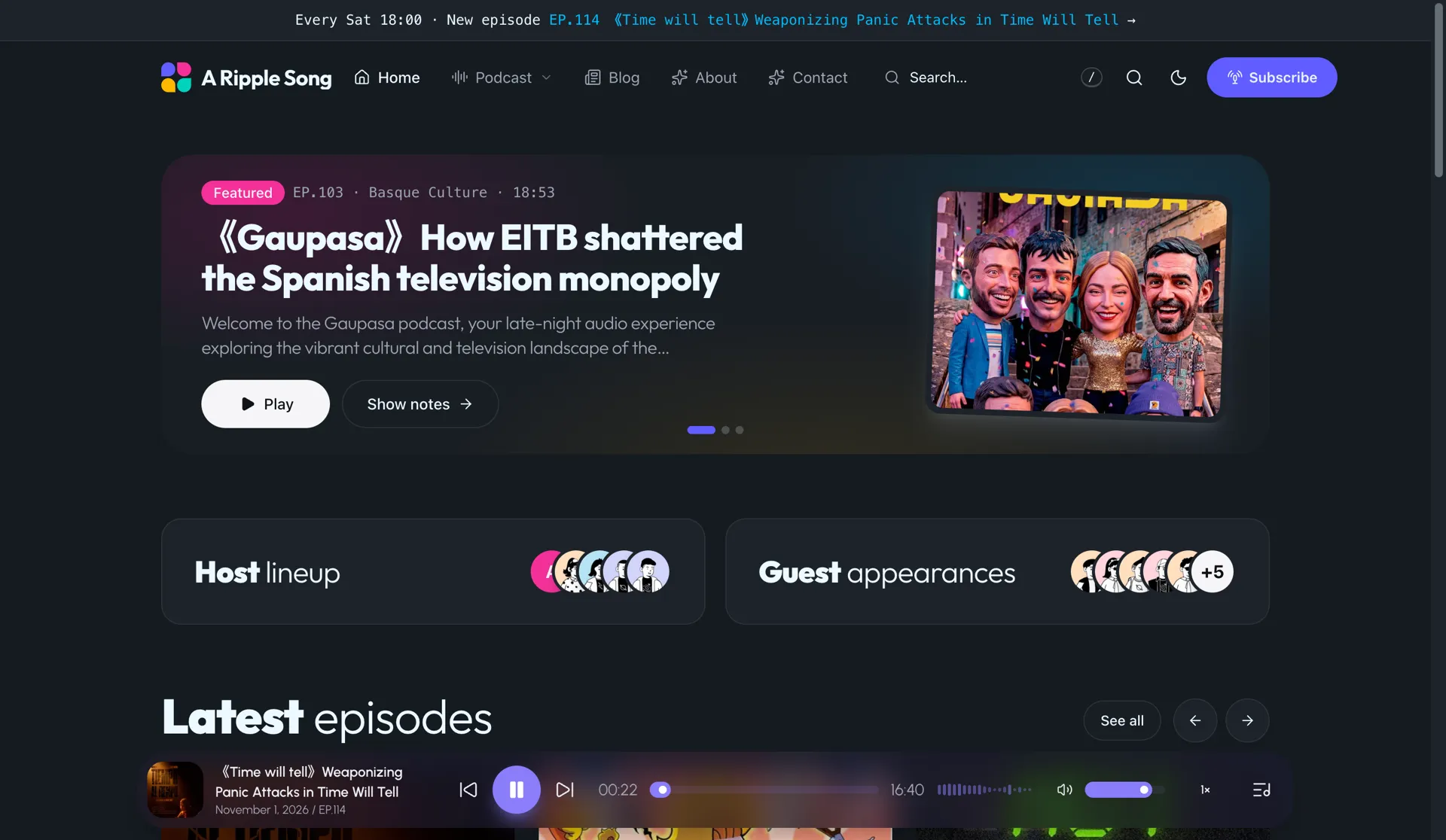
Three color modes with a sun / moon toggle for visitors, and a default you choose in the Customizer.
Navigation and search
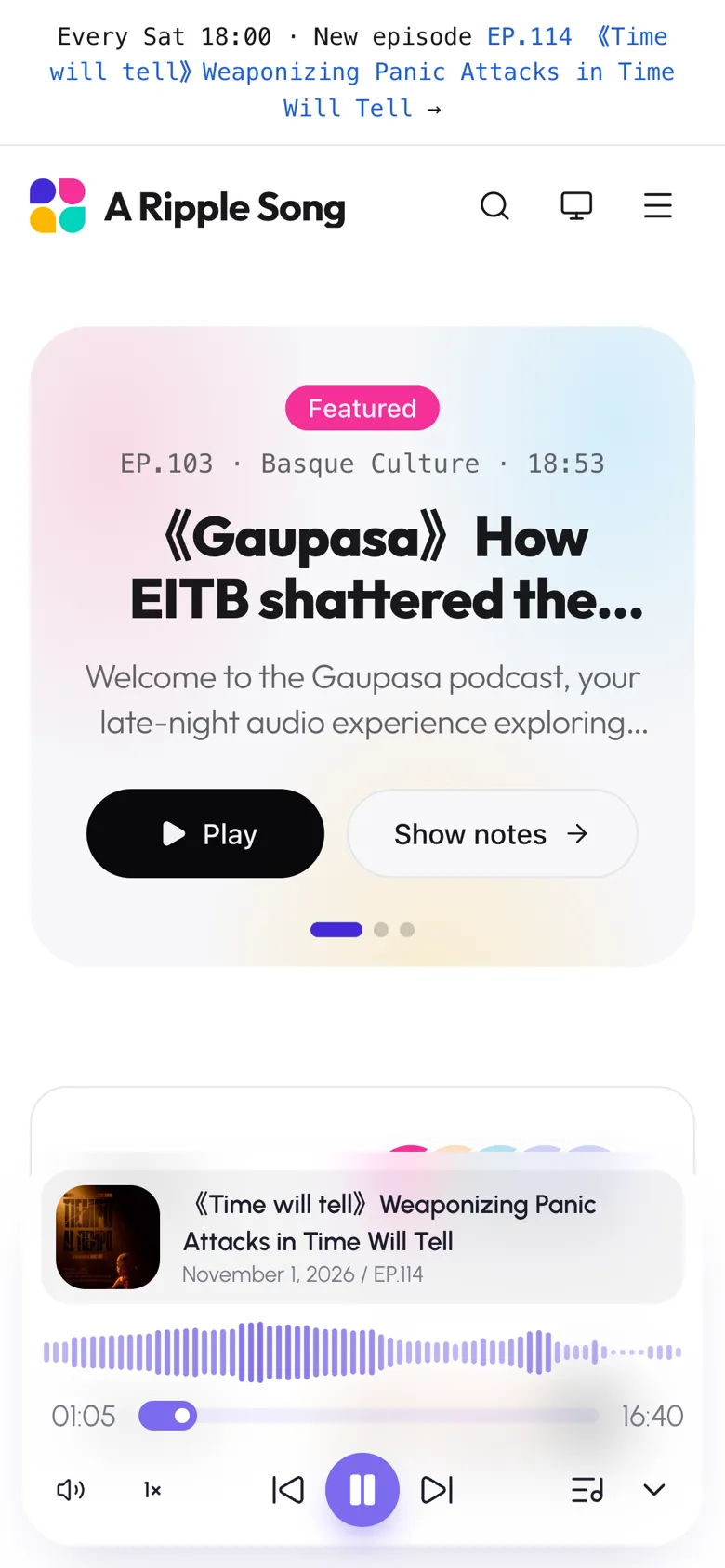
Header and footer menus, a mega dropdown for nested menus, a mobile drawer, Lucide icons on menu items, and a search dialog with a keyboard shortcut.
Your identity
Upload a logo, or pick one of 12 bundled multi-color icons to sit next to the site title.
Translation-ready
English and Simplified Chinese are included, and it works as a plain blog theme when the plugin is not active.
Light, dark and mobile
Install ARS Petal
Built with
- Tailwind CSS
- daisyUI
- Alpine.js
- Swup
- esbuild
- Lucide
- 01Download the zip from the latest release.
- 02In WordPress, go to Appearance → Themes → Add New → Upload Theme.
- 03Upload the zip, install it and activate the theme.
- 04Install and activate the A Ripple Song plugin to turn on the podcast features.